Frozen Screen, Live Wager: Your First Ten Minutes When a Sportsbook App Goes Dark
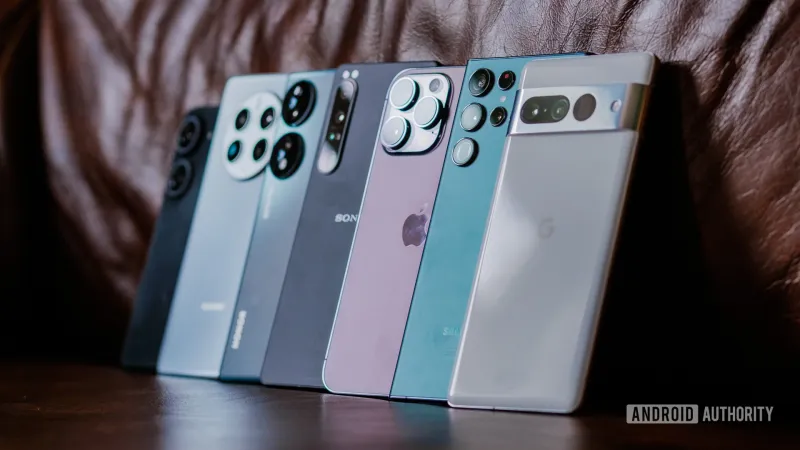
Photo: smartphone screen frozen loading spinner close-up dark room sports betting app, via cdn.storifyme.com
You're three legs into a parlay. The fourth is in the slip. You tap confirm, the spinner starts, and then the app just... stops. No error message, no confirmation, no balance update. Somewhere between your thumb and the sportsbook's servers, the connection went dark.
A mid-session outage is a records problem before it's a money problem. The people who get made whole are almost never the loudest ones in chat — they're the ones who can produce a timestamp, a slip number, and a screenshot. Here's how to be that person, starting at minute zero.
Minute Zero: Hands Off the Resubmit Button
Your instinct will be to tap confirm again, or force-close and reopen. Both are understandable, and both can create a mess. If the original wager did reach the server, a second submission can leave you holding two identical tickets — a duplicate stake you didn't plan on and may not be able to cancel.
Give it sixty seconds. A slow response is not a failed response. If the app is completely unresponsive — not slow, not spinning, but frozen — force-closing is fine. Just understand that the decision about whether your bet exists was made server-side, not by whatever your phone was showing at the time.
Capture the Screen While It's Still Broken
The most useful thing you can do in the first two minutes is also the thing everyone skips: take a screenshot before you refresh anything. That frozen screen is evidence. Once you reload, it's gone.
What you want in the frame:
- The bet slip or wager confirmation, including the slip ID if it's visible
- Your account balance, both cash and bonus if they're broken out
- The clock in your phone's status bar (this is your timestamp)
- Anything showing the sport, market, and stake
On iPhone and most Android phones, you can also start a screen recording and reproduce the freeze. A ten-second clip of the app failing to load your open bets is worth more than three paragraphs of description in a support ticket.
Did the Wager Actually Land?
Before you contact anyone, check three places, in this order:
- Open bets / pending wagers. A placed bet that hasn't settled should appear here within a few minutes, even if the confirmation screen never rendered.
- Transaction or account history. A stake that left your balance will show as a debit. If nothing was deducted, the wager most likely never reached the server.
- Email or push confirmations. Many US sportsbooks send a receipt. Check spam — automated messages love the spam folder.
For casino sessions, the check is different. Slots and table games keep their own round history, usually inside the game provider's menu rather than the casino lobby. If a bonus spin or free round vanished, the provider's game history is where it will show up.
One note on timing: a fifteen-minute lag between placement and visible history is common during peak hours. Don't treat a slow ledger as a missing bet.
When the Balance Looks Wrong
Balances off by a few dollars are usually not a glitch — they're a display that hasn't caught up. Before you assume the worst, account for these:
- Pending holds. An unsettled wager often stays deducted from available balance until it grades.
- Bonus vs. cash. Some apps show a combined figure on the main screen and split it only in the wallet.
- Partial settlement. A same-game parlay with one leg voided can return a stake portion you weren't expecting.
Give the platform a reconciliation window — thirty minutes is reasonable. If the number still doesn't match your own math, that's when the ticket goes in.
Writing a Support Ticket That Gets Answered
One ticket. Not five. Duplicate tickets slow you down because they get merged, and merged tickets get re-read from the top.
Include, in this order:
- Date and time of the incident, with your time zone (for example: Nov 20, 2026, 7:42 p.m. ET)
- Slip ID, wager ID, or game round ID
- Stake and market, or game name and bet size
- Device, operating system, and app version
- What you expected to happen and what actually happened
- Attach your screenshots and reference the filenames
Close with a specific ask: 'Please confirm whether slip #XXXXX was accepted, and if so, when it will appear in my open bets.' Specific requests get specific answers. 'Fix my account' does not.
Start in live chat if it's available, but ask for the conversation to be emailed to you. Paper trails beat screenshots of chat windows.
The Outage Log Worth Two Minutes
Keep a running log for any session where something goes sideways. A simple notes table is enough:
| Date/Time (TZ) | Platform | Wager or game | Stake | Slip/Round ID | Screenshot file | Ticket # | Status |
|---|
Keep this off shared cloud notes if it includes account details — a local note or a printed page is safer. The log does two jobs: it makes your ticket stronger, and it shows you patterns. Three outages in a month on the same app is a signal about which sportsbook deserves your deposits.
Downtime Is Not a Green Light
Here's the part that has nothing to do with screenshots. An outage creates a specific kind of temptation: you can't see your balance, so you stop thinking in numbers. That's when people deposit again 'just to be safe,' or hop to a second book to bet the same game because the first one froze.
Set a rule now, while you're calm: no deposits during an outage. Not to cover a pending wager, not to chase a game you're already emotionally invested in. If you feel the pull to do it, that's a good moment to step away for an hour — the bet will grade or it won't, and neither outcome improves with a second stake placed in frustration.
If a bad session has you rattled, most US-licensed platforms offer deposit limits, timeouts, and self-exclusion tools you can set yourself, and state gaming boards publish complaint routes when a book won't resolve a legitimate dispute.
The Short Version
Screenshot first, refresh second. Check open bets, transactions, and email before you assume anything is lost. One clear ticket beats five angry ones. Log it. And don't let a frozen screen talk you into a fresh deposit you never planned to make.